Automate regular exports of your backed-up Shopify data to email or Google Drive on a weekly or monthly basis.
Automate regular exports of your backed-up Shopify data to email or Google Drive on a weekly or monthly basis. BackupMaster stores your data in secure backup storage — that’s your primary backup. Scheduled exports create regular extra copies on your local drive or Google Drive, following the 3-2-1 backup rule (three copies of your data, on two different storage types, with one stored offsite).
A Google account with available Drive storage (for Google Drive delivery)
1
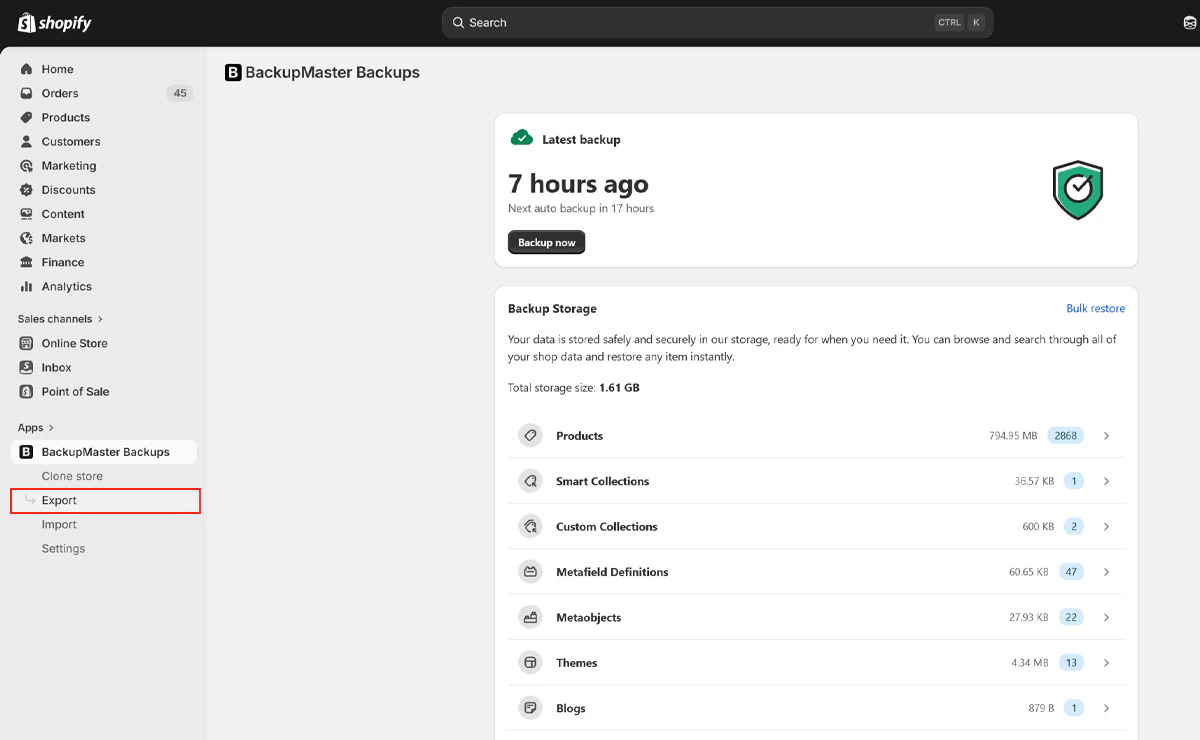
Open BackupMaster and select Export
Open BackupMaster from your Shopify admin and select Export on the dashboard.
Export button on the BackupMaster dashboard
2
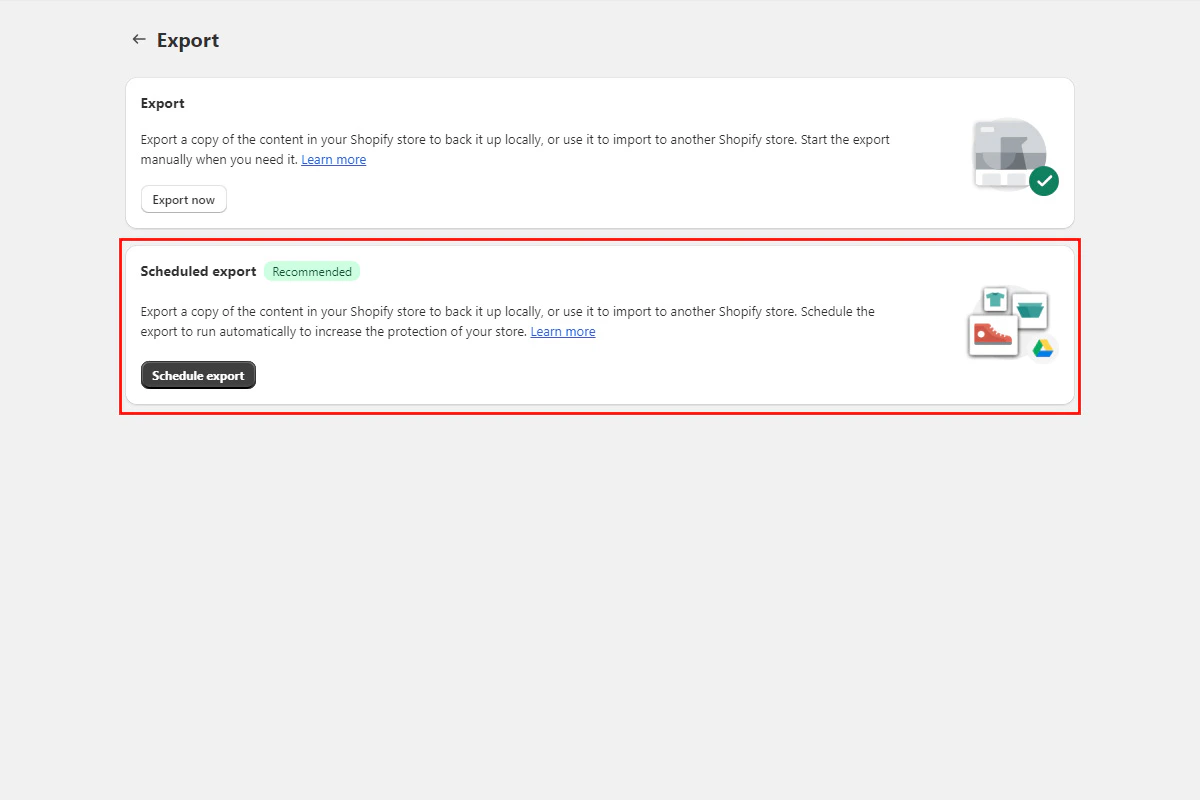
Select Scheduled Export
Select Scheduled Export.
Scheduled export option in the export menu
3
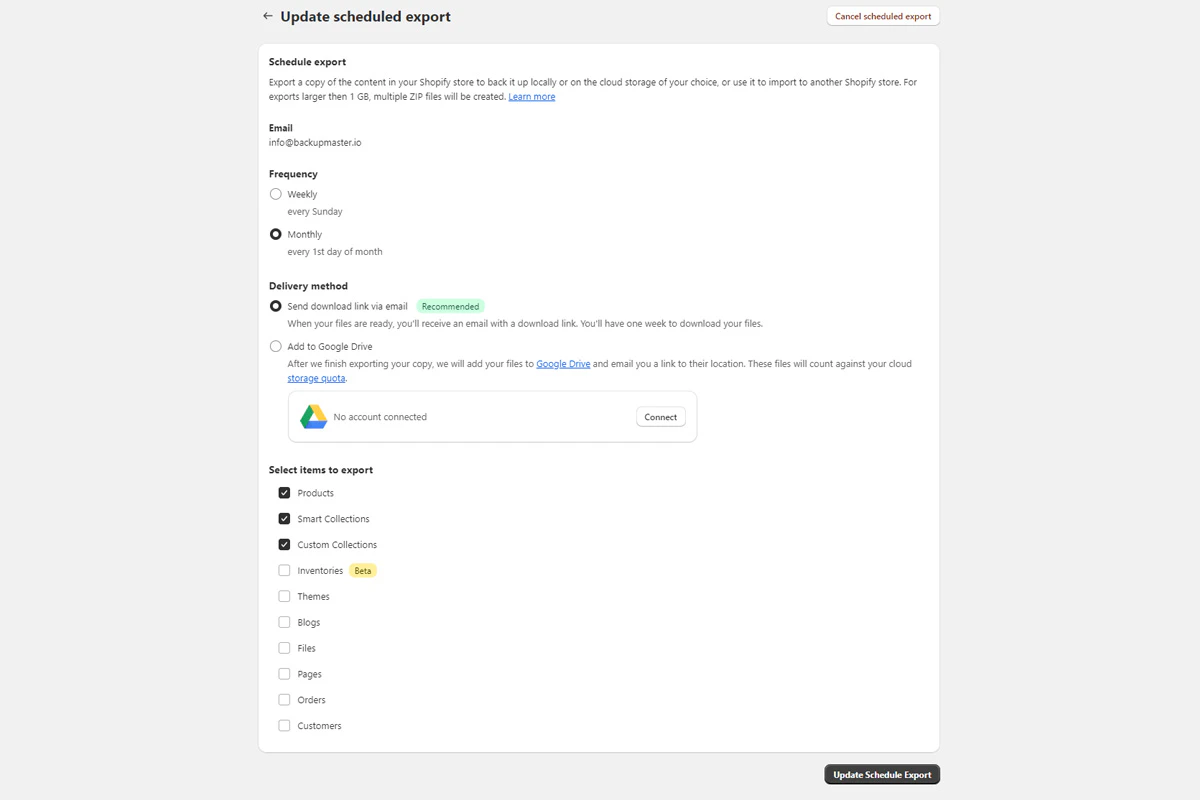
Configure frequency and delivery method
Choose your export frequency (weekly or monthly) and delivery method (email or Google Drive). If you choose Google Drive, authenticate your account when prompted.
Scheduled export settings for frequency and delivery method
4
Save and activate
Select Scheduled Export to save and activate.
Scheduled exports run on Sundays after the automatic backup finishes.
Check that your plan is active and the schedule is turned on in the export settings.
Google Drive authentication fails for scheduled exports
Confirm that you granted BackupMaster the required permission during the authentication flow. Try again in a different browser if the problem continues. If it still fails, contact support at support@backupmaster.io.
Assistant
Responses are generated using AI and may contain mistakes.