Set up BackupMaster’s external portal so you can access your backed-up data even if you lose access to your Shopify admin.
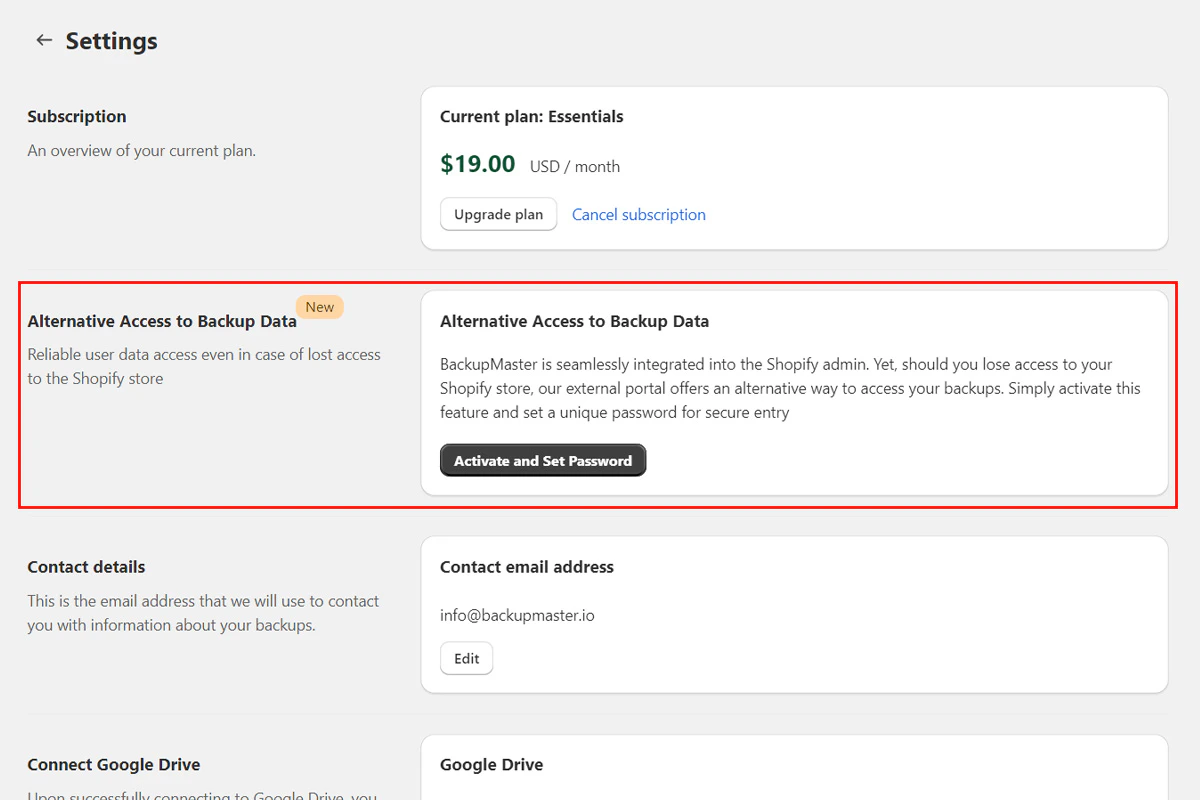
Set up alternative access so you can browse your backed-up data outside of Shopify. It’s an external portal with its own login, independent of your Shopify admin. Set it up while you still have access to BackupMaster in your Shopify admin.
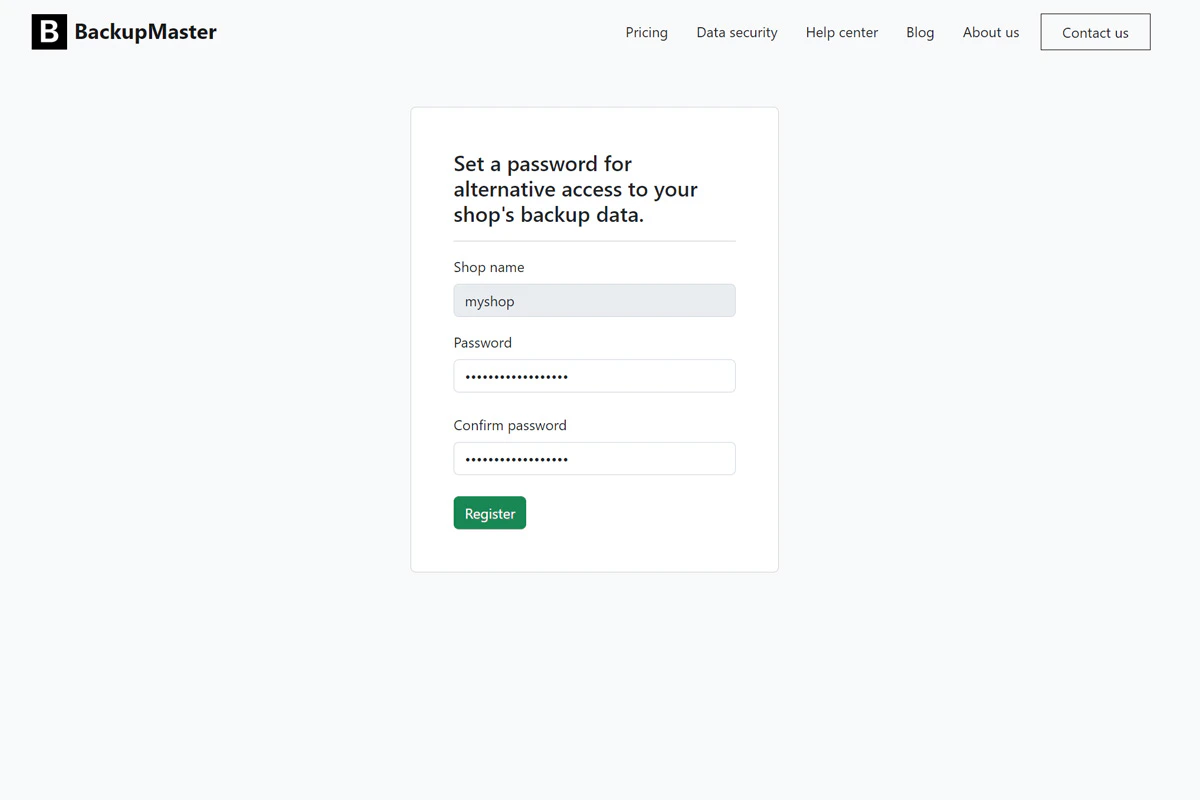
Select Send to receive a registration email. Open the email and select the registration link to create a password for the portal.
Create a password for the external portal.
4
Save your access link
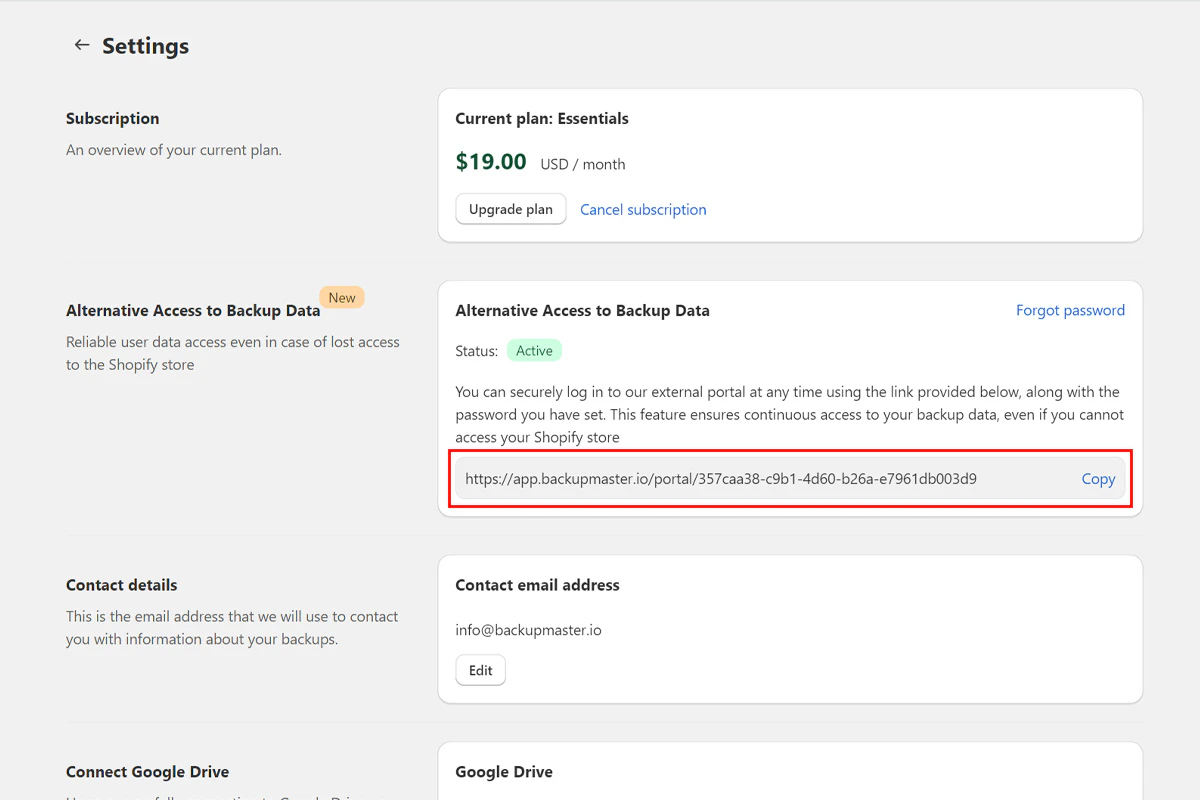
Return to Settings in BackupMaster. Copy your data access link and save it somewhere secure.
Your unique data access link appears in settings after activation.
You also receive the link by email.
The portal uses encrypted data transmission, email verification, and a password you set during activation.
If you uninstall BackupMaster, portal access continues only while your backup data exists. See Data retention for details on how long data is kept after uninstalling.
Assistant
Responses are generated using AI and may contain mistakes.