To copy or move data between stores, use the clone feature instead. Cloning transfers data directly between stores without downloading or uploading files.To restore data within the same store where BackupMaster is installed, you don’t need a ZIP file — restore individual items or use bulk restore directly from the app.ZIP import is only for cases when neither option works:
Lost store access — you can’t sign in to your Shopify admin, or your store is inactive.
Store was paused or closed — you previously exported your data and need to restore it into a new or reopened store.
The BackupMaster app installed on the target store
1
Open the import tool
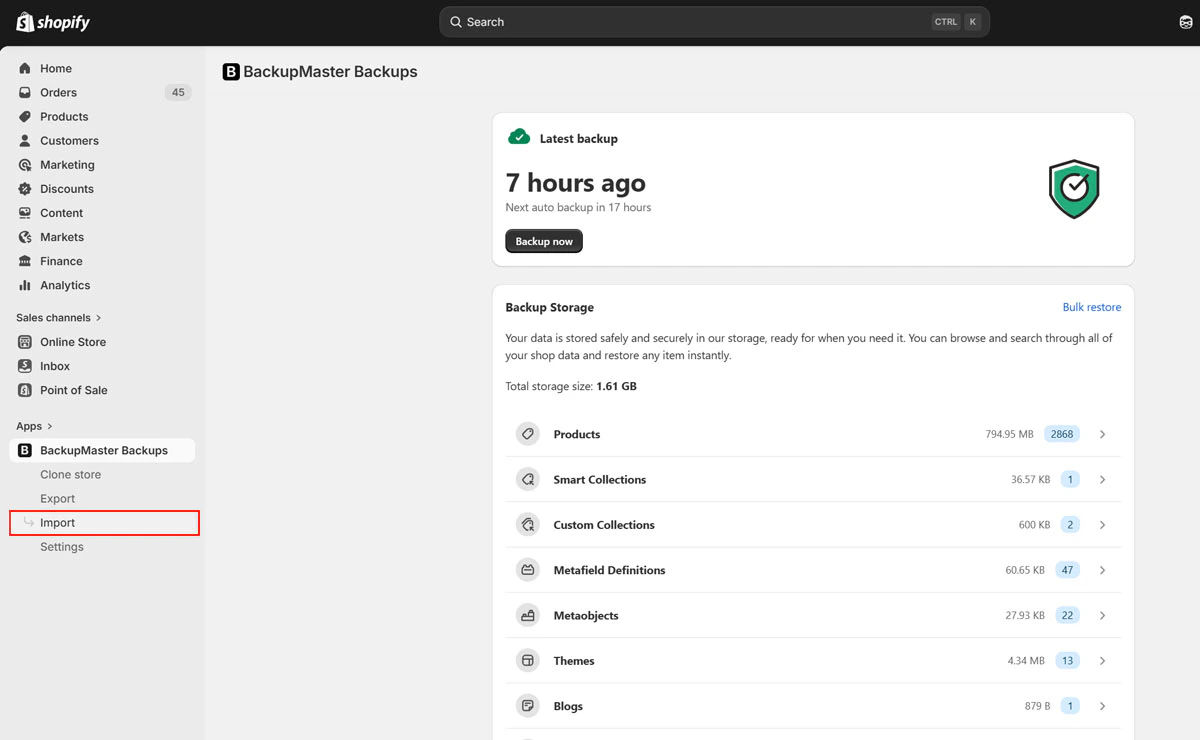
Open BackupMaster from your Shopify admin and select Import on the dashboard.
Import button on the BackupMaster dashboard
2
Upload and review the file
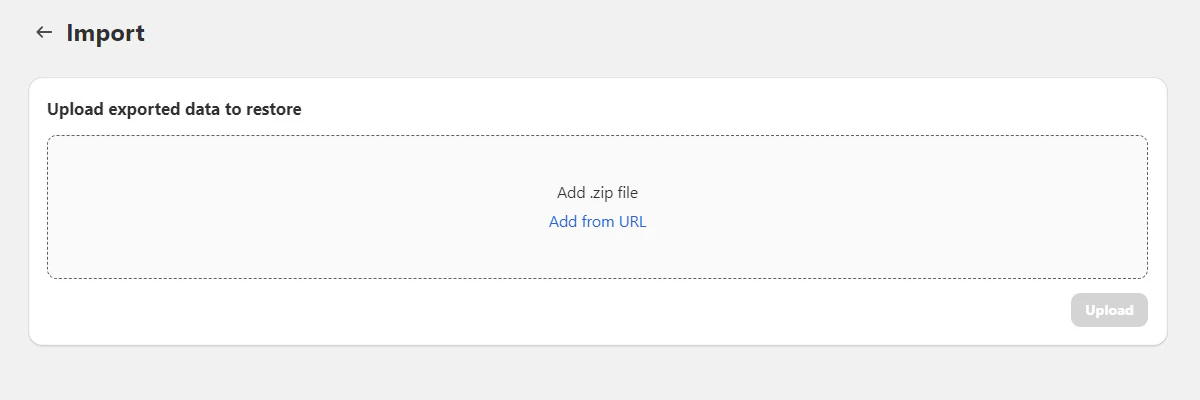
Select the ZIP file to import. BackupMaster analyzes the file and shows the data categories and item counts it contains.
Selecting a ZIP file for import
3
Select categories and confirm
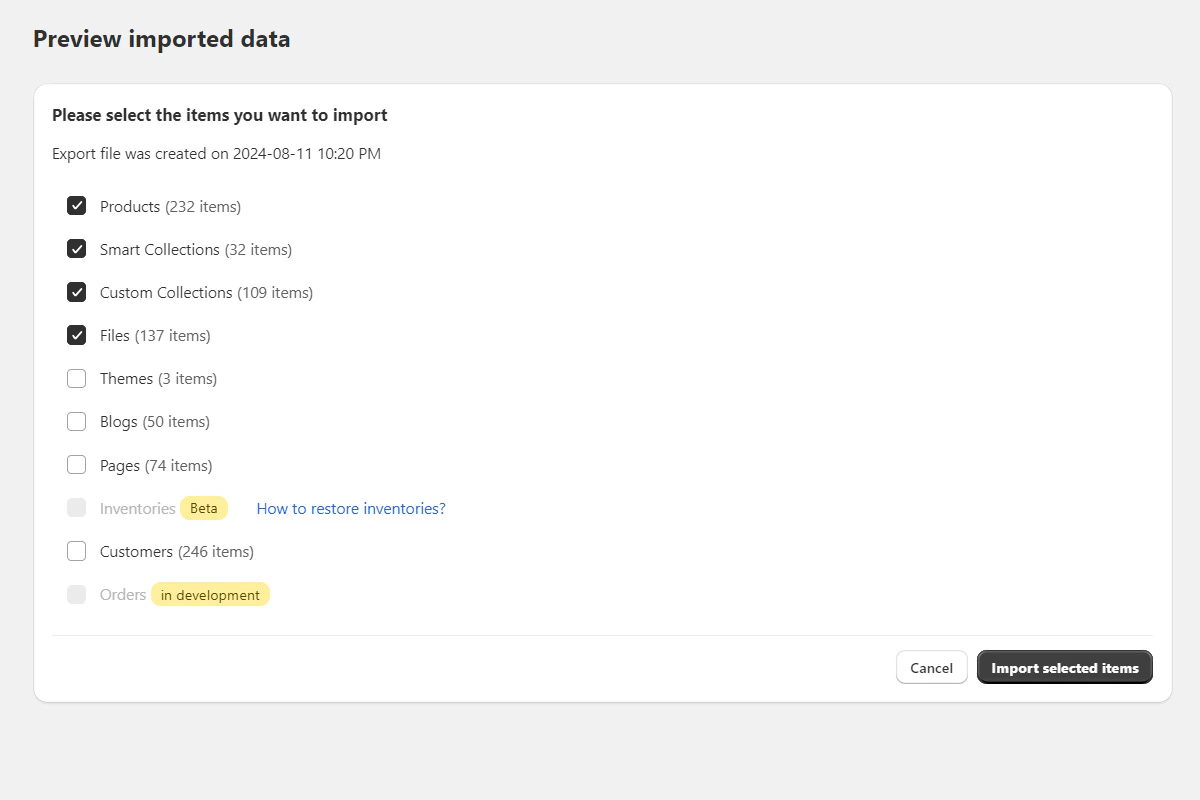
Select the data categories you want to import, then select Confirm.
Selecting categories to import from the ZIP file
4
Monitor progress
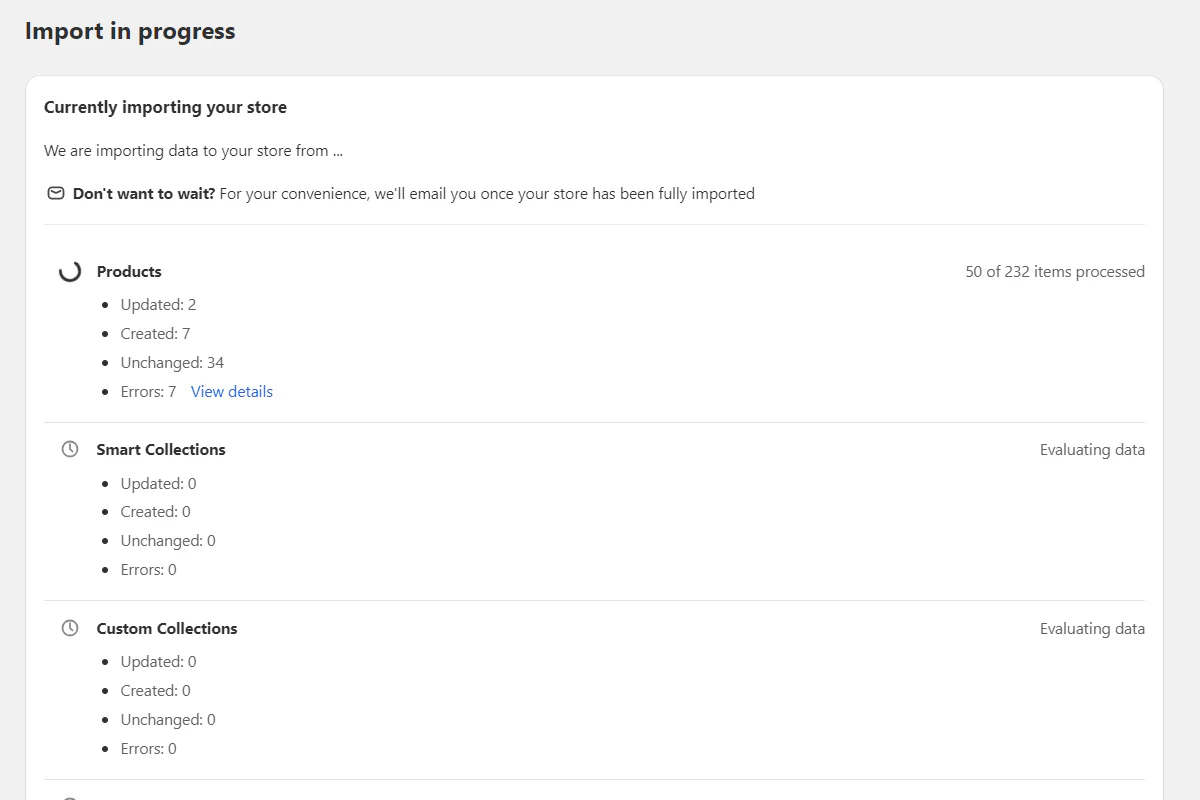
BackupMaster shows real-time progress. You can close the browser — the import continues in the background, and you get a confirmation email when it finishes.