

Prerequisites
- You’re the store owner or a staff member with permission to manage apps.
1
Open your Shopify admin settings
Go to Settings > Apps and sales channels in your Shopify admin.
2
Uninstall BackupMaster
Find BackupMaster in the list and select Uninstall.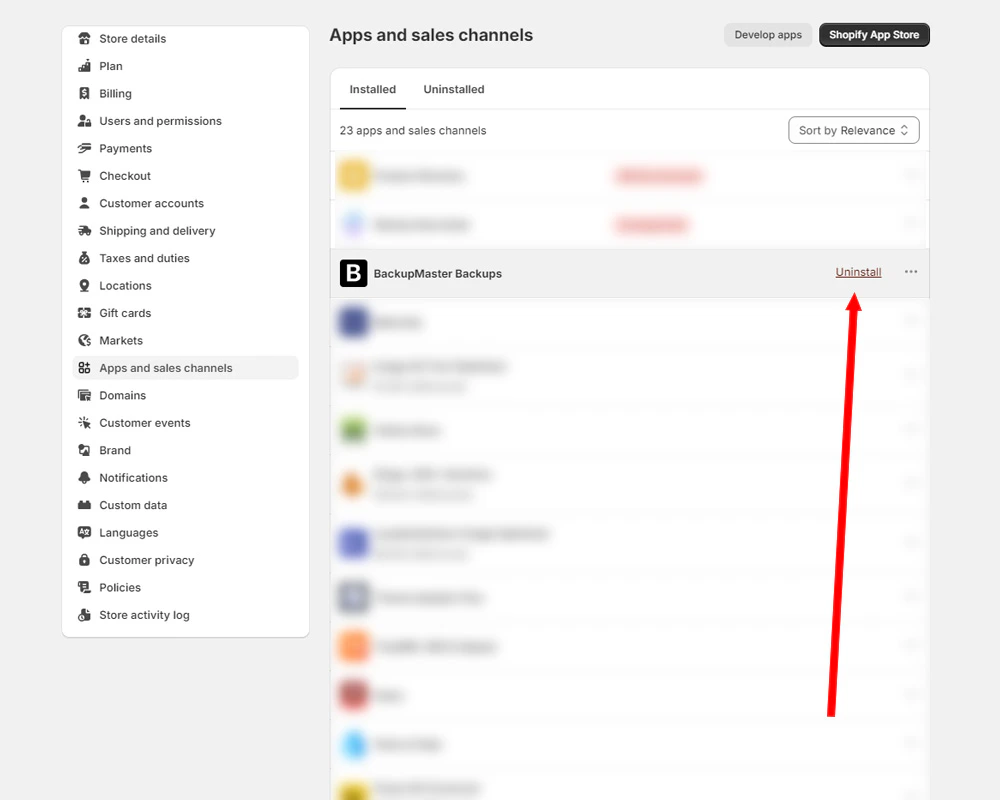
Uninstalling BackupMaster from Shopify Apps and sales channels
What happens after you uninstall
- Billing: Shopify cancels future charges immediately. Any pending charges already incurred still apply.
- Backup data: Your data is kept for a limited time, then permanently deleted. For details, see Data retention.
- Store code: BackupMaster doesn’t inject code into your store, so there’s nothing to clean up.