> ## Documentation Index
> Fetch the complete documentation index at: https://docs.backupmaster.io/llms.txt
> Use this file to discover all available pages before exploring further.
# Restore a Shopify theme
> Restore a full theme directly or download it as a ZIP to preview before publishing.
You can restore a full theme directly to your store or download it as a ZIP to preview before publishing. Theme customizations are stored in theme settings files and are included in backups. Images used in theme customizations live in Shopify Files, which BackupMaster backs up separately under the **Files** category — to fully restore a theme's appearance, you may need to restore both.
**Prerequisites**
* At least one theme backup version in your backup storage
* Access to your Shopify admin for uploading and previewing downloaded themes
## Restore a theme to your store
Open **BackupMaster** from your Shopify admin and go to **Backup Storage** > **Themes**.
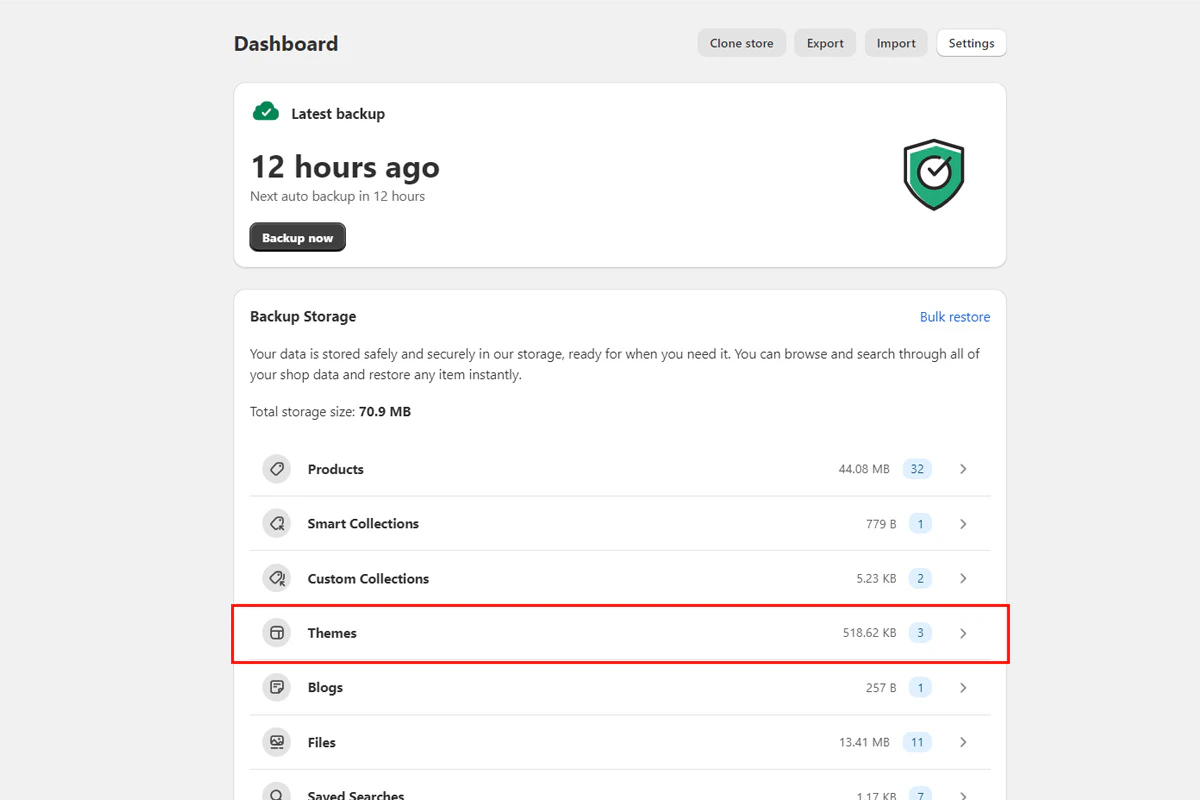 Click the theme you want to restore.
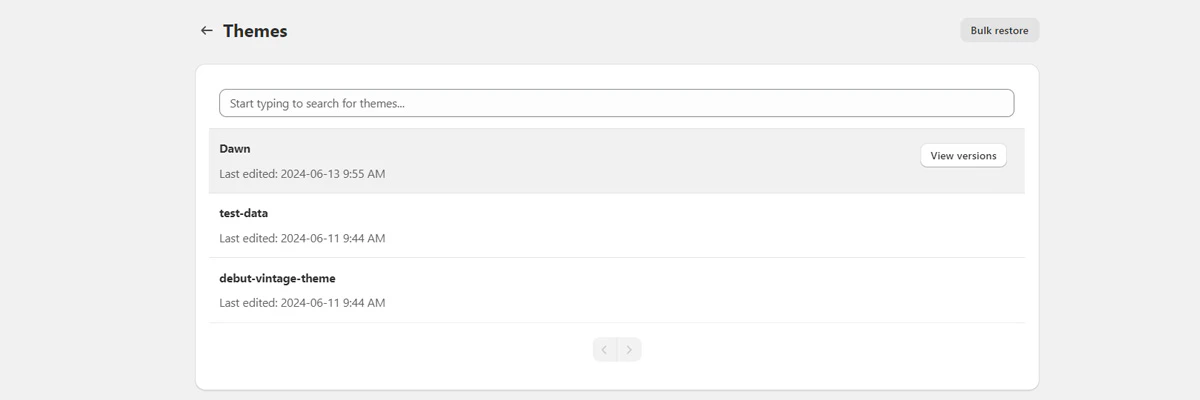 Select the version you want and click **Restore Entire Theme**. Confirm when prompted.
If you restore the currently published theme, changes go live immediately. To test first, use the [download and preview method](#download-and-preview-a-theme) instead.
Select the version you want and click **Restore Entire Theme**. Confirm when prompted.
If you restore the currently published theme, changes go live immediately. To test first, use the [download and preview method](#download-and-preview-a-theme) instead.
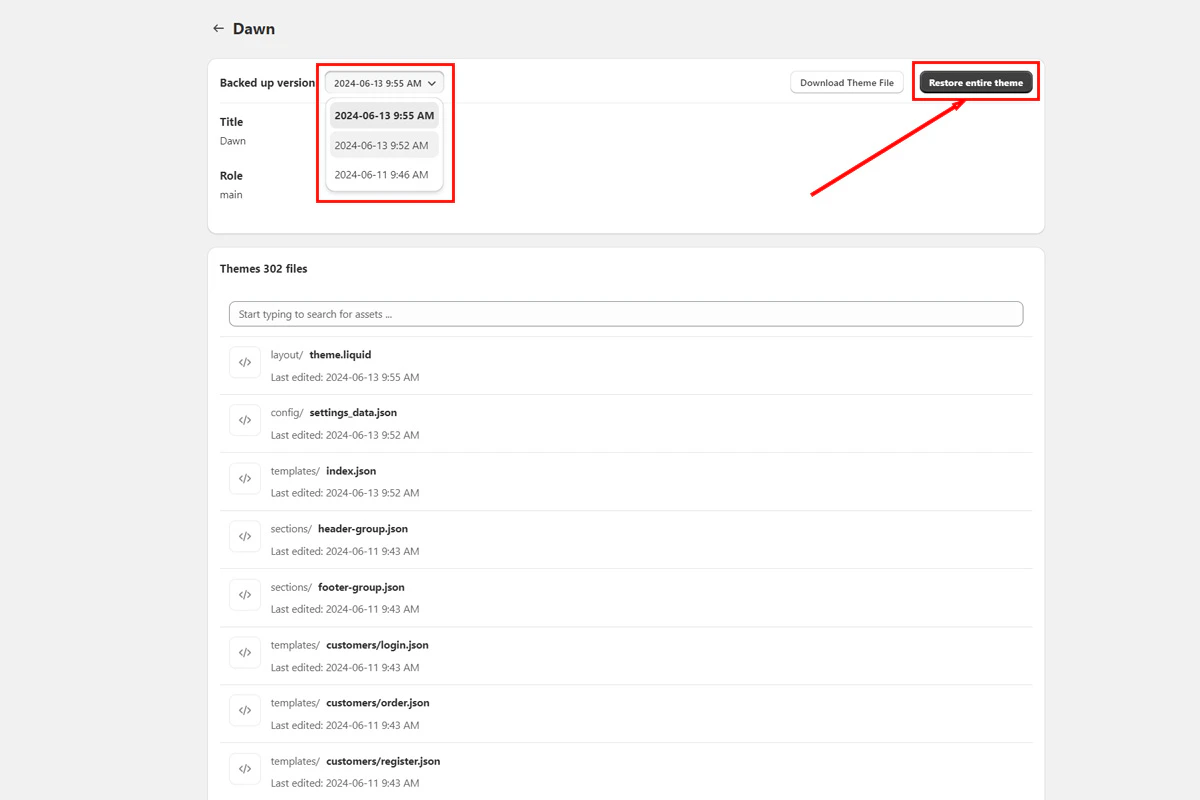 BackupMaster shows restore progress on the dashboard and displays a result page when it finishes. If any errors occur, check the error details in the app. Contact support at [support@backupmaster.io](mailto:support@backupmaster.io) if you need help.
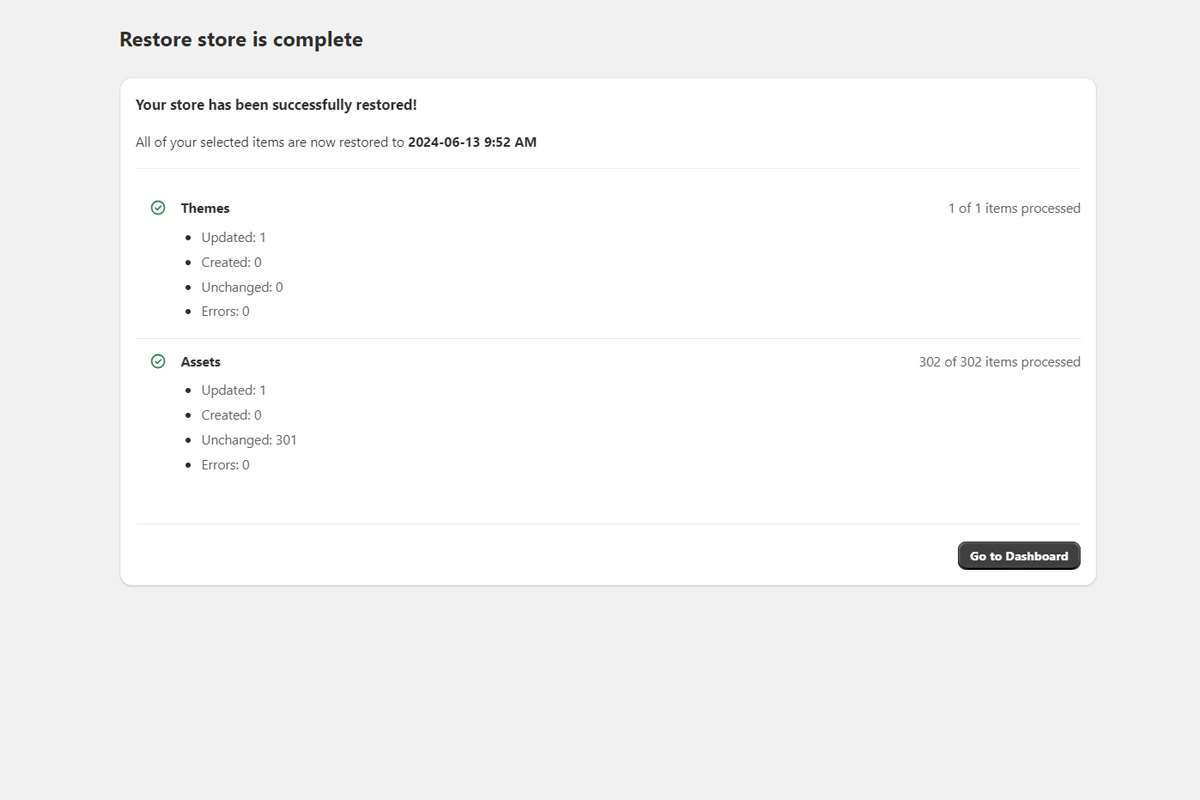 ## Download and preview a theme
Use this approach to inspect a backed-up theme version before applying it to your live store.
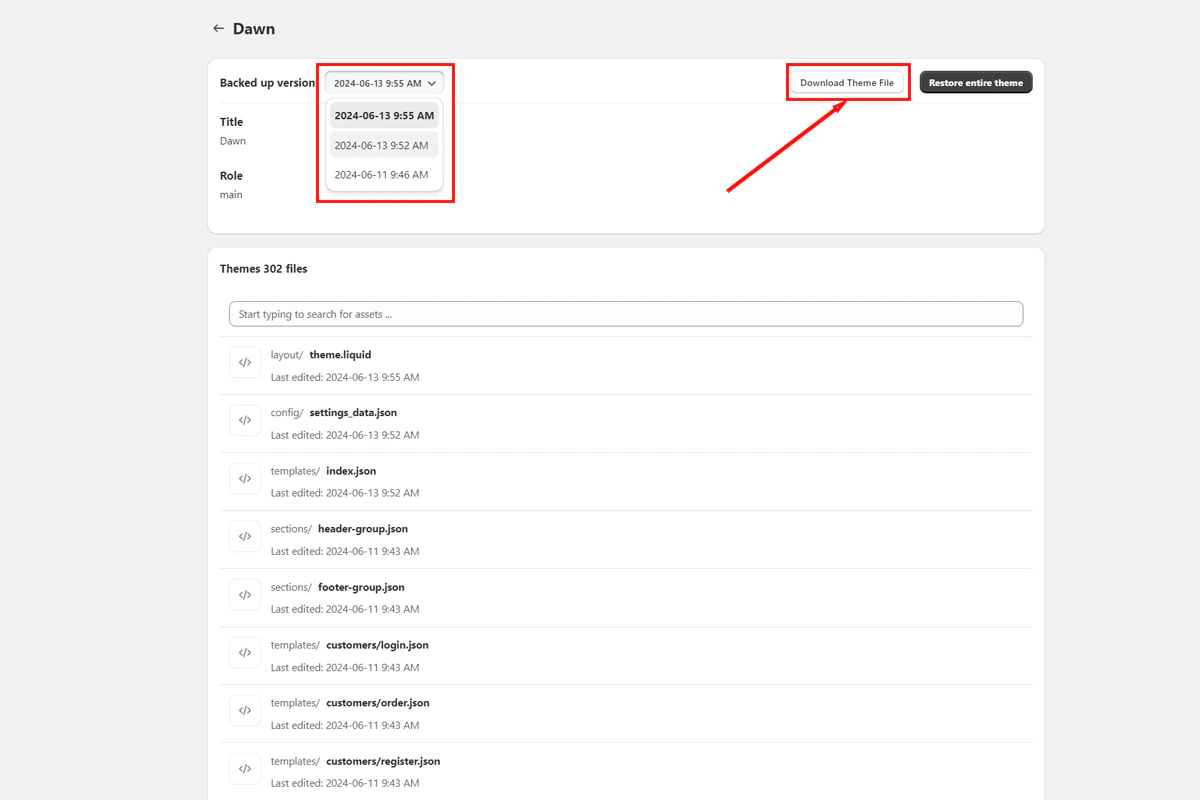
In **Backup Storage** > **Themes**, select the theme and version you want to check. Click **Download Theme** to get a ZIP file.
## Download and preview a theme
Use this approach to inspect a backed-up theme version before applying it to your live store.
In **Backup Storage** > **Themes**, select the theme and version you want to check. Click **Download Theme** to get a ZIP file.
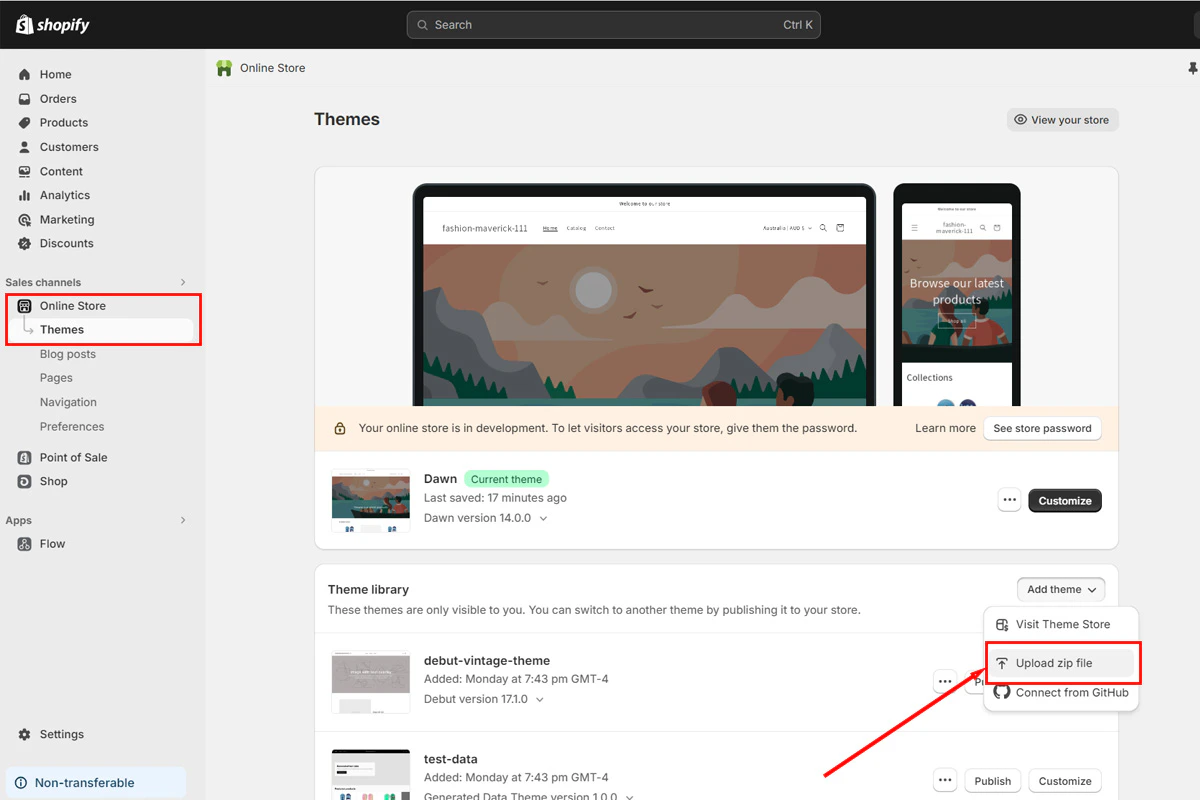
 In your Shopify admin, go to **Online Store** > **Themes**, click **Add theme**, and upload the ZIP file.
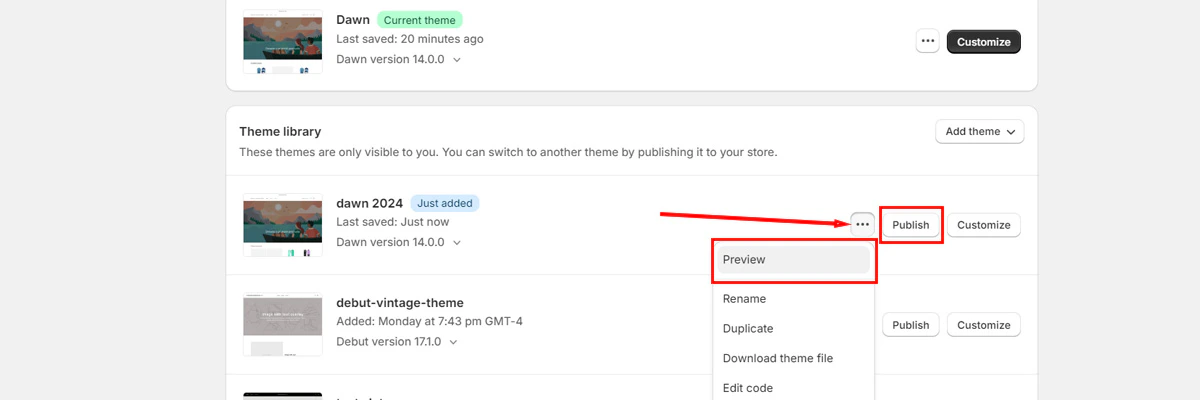
 Preview the uploaded theme to verify customizations and layout. Publish when you're satisfied.
 ## Troubleshooting
Check the error details in the app. Contact support at [support@backupmaster.io](mailto:support@backupmaster.io) if you need help.
The file may not have downloaded completely. Re-download and try again. Contact support at [support@backupmaster.io](mailto:support@backupmaster.io) if the issue persists.
Images used in theme customizations are stored in Shopify Files, not in the theme itself. Restore the **Files** category as well, or re-upload the images through the theme editor.
Menus are managed through Shopify's Navigation settings, not theme files. Theme restores don't affect navigation menus.
## Need help?
If you have questions or need assistance, the support team is here to help. Reach out at [support@backupmaster.io](mailto:support@backupmaster.io).
## Troubleshooting
Check the error details in the app. Contact support at [support@backupmaster.io](mailto:support@backupmaster.io) if you need help.
The file may not have downloaded completely. Re-download and try again. Contact support at [support@backupmaster.io](mailto:support@backupmaster.io) if the issue persists.
Images used in theme customizations are stored in Shopify Files, not in the theme itself. Restore the **Files** category as well, or re-upload the images through the theme editor.
Menus are managed through Shopify's Navigation settings, not theme files. Theme restores don't affect navigation menus.
## Need help?
If you have questions or need assistance, the support team is here to help. Reach out at [support@backupmaster.io](mailto:support@backupmaster.io).